There's a good chance your RAM is running slower than the speed printed on the box. Out of the factory, motherboards boot memory at a safe JEDEC default (DDR5-4800 on most boards), and the rated speed only kicks in once you enable the kit's XMP (Intel) or EXPO (AMD) profile.
It takes about two minutes, and in CPU-bound games it is one of the cheapest frame-rate gains you will find. We covered the numbers in our CPU and RAM settings for 1% low FPS stability piece; this guide is the hands-on walkthrough.
Step 1: Enter the BIOS
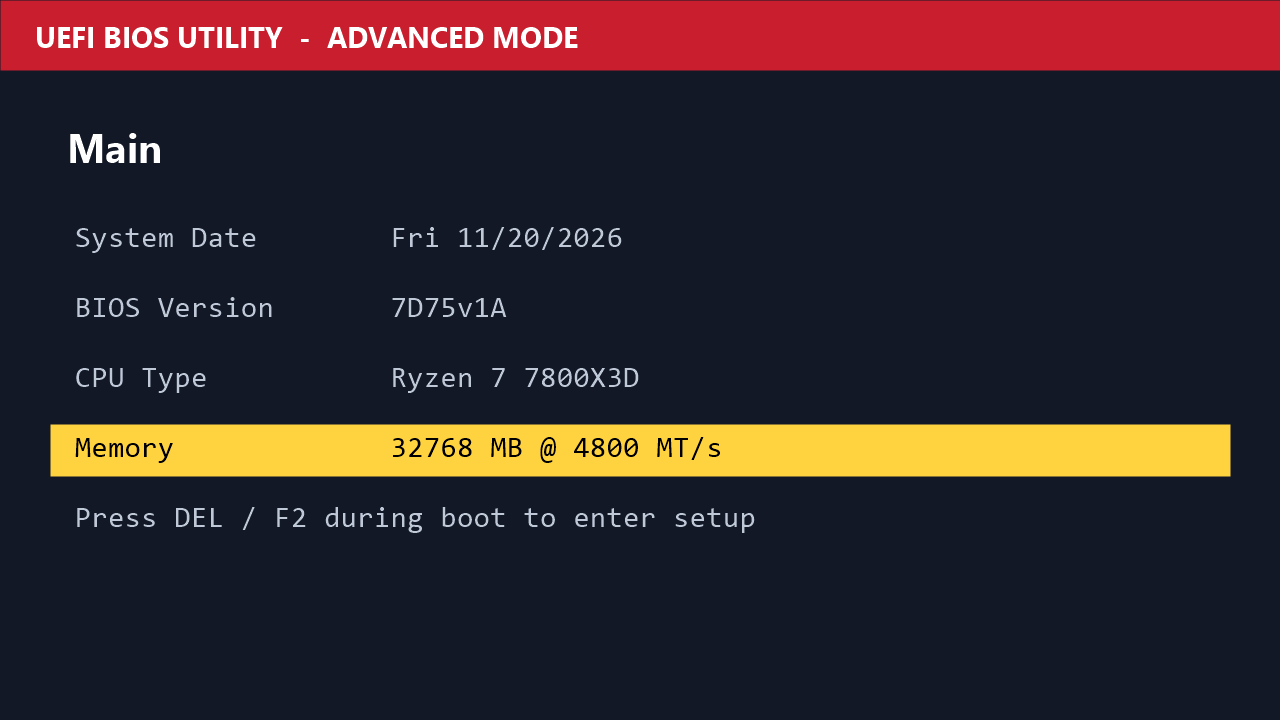
Restart your PC and tap Delete (or F2 on some boards) as soon as the screen turns on. On the main screen, find the memory line: if it shows a lower speed than your kit is rated for, XMP/EXPO is off.
Step 2: Open the overclocking menu
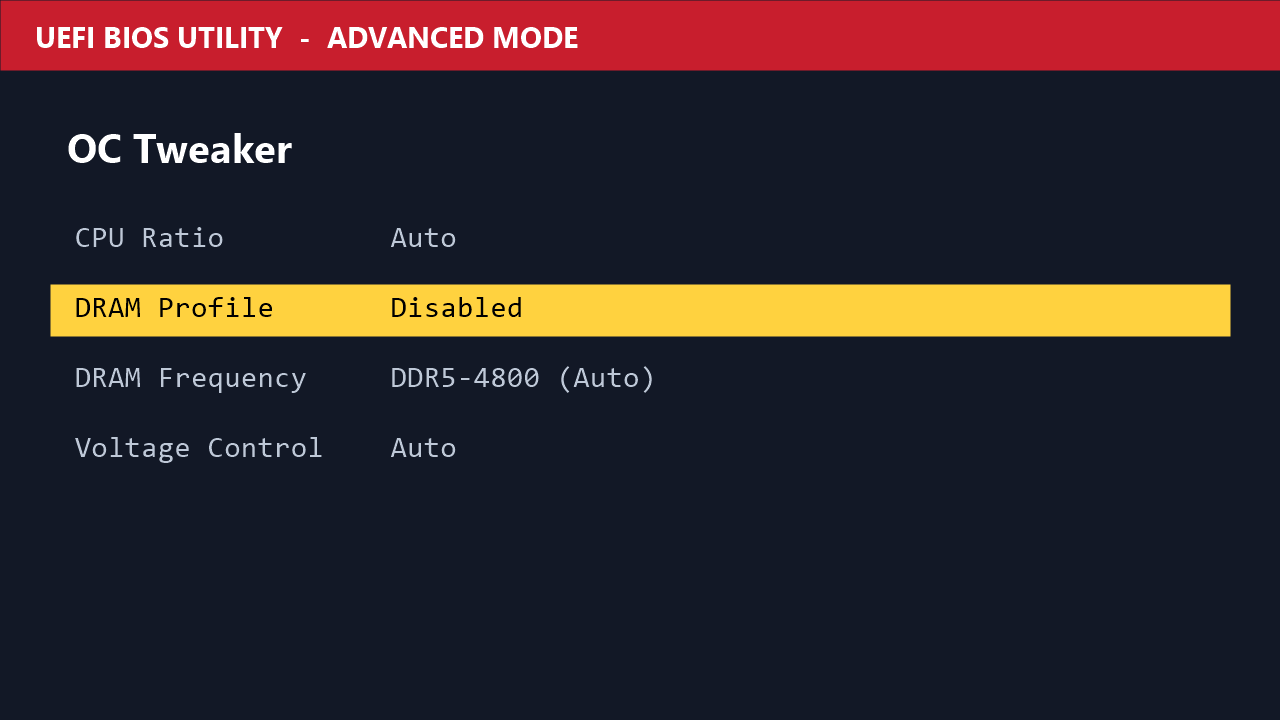
Switch to Advanced Mode (usually F7), then open the overclocking tab. Every vendor names it differently:
| Motherboard brand | Menu name |
|---|---|
| ASRock | OC Tweaker |
| ASUS | Ai Tweaker |
| MSI | OC |
| Gigabyte | Tweaker |
Look for a setting called DRAM Profile, XMP or EXPO.
Step 3: Pick the profile
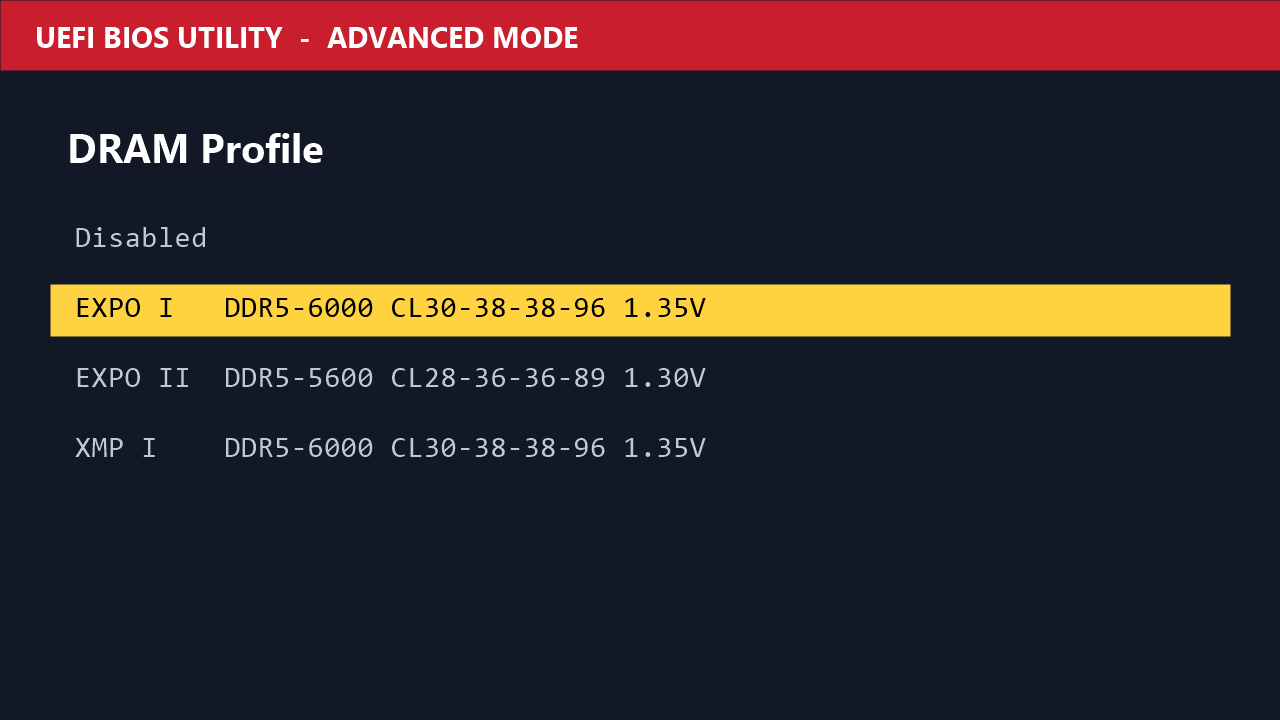
Select EXPO I or XMP I. That is the profile matching the speed and timings on your kit's label. Profile II is usually a slightly slower, more conservative fallback.
Step 4: Save and reboot
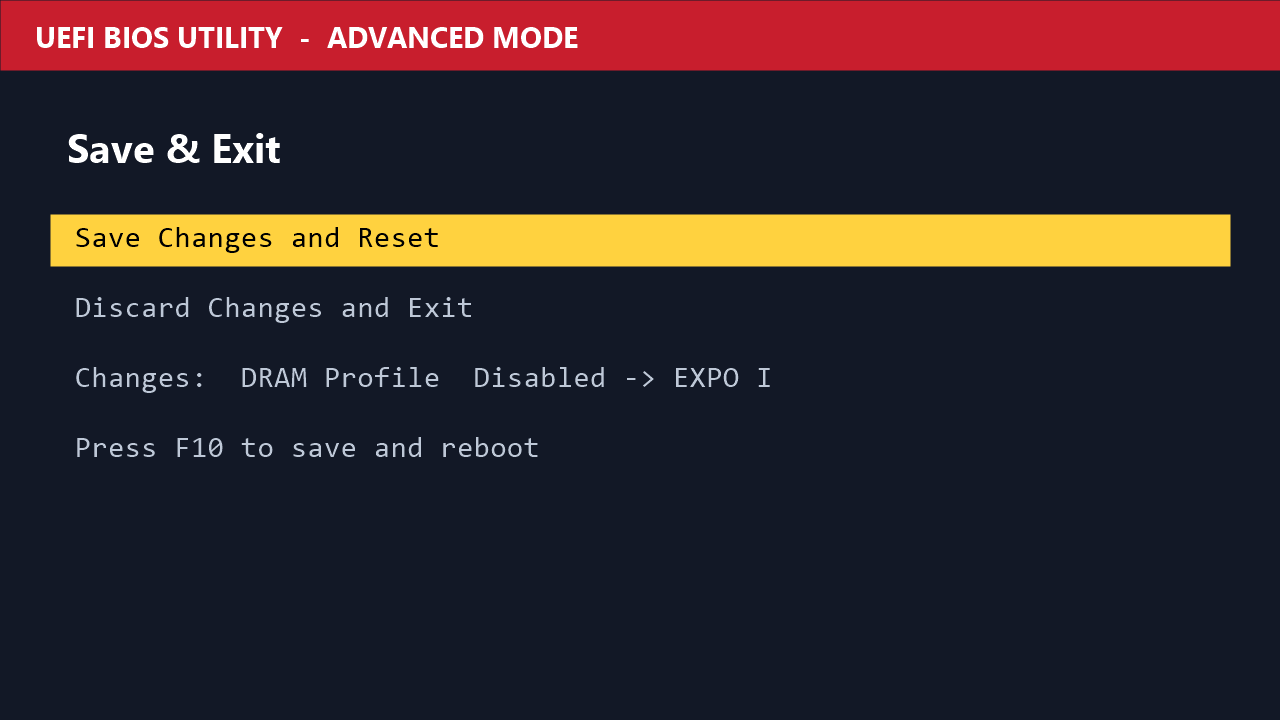
Press F10, confirm the change, and let the PC restart.
Step 5: Confirm it worked
Back in Windows, open Task Manager → Performance → Memory and check the Speed value. It should now match your kit. For a deeper check, free tools like CPU-Z show the exact timings.
FAQ
Is XMP or EXPO safe?
Yes. It runs your memory at the speed and voltage the manufacturer validated it for. It can, however, void the CPU warranty on some platforms in the strictest reading of the terms, so check your vendor's policy if that matters to you.
Should I use XMP or EXPO on an AMD system?
Use EXPO if your kit offers it; it is tuned for AMD memory controllers. Most AMD boards also accept XMP profiles if that is all your kit has.
Will this help in every game?
The biggest gains show up in CPU-bound titles and in 1% lows. If your GPU is already maxed out, the average frame rate barely moves. See our Performance section for game-by-game numbers.